- Projects
- FullCalendar Example
This application was created to showcase a functional, stylized calendar component.
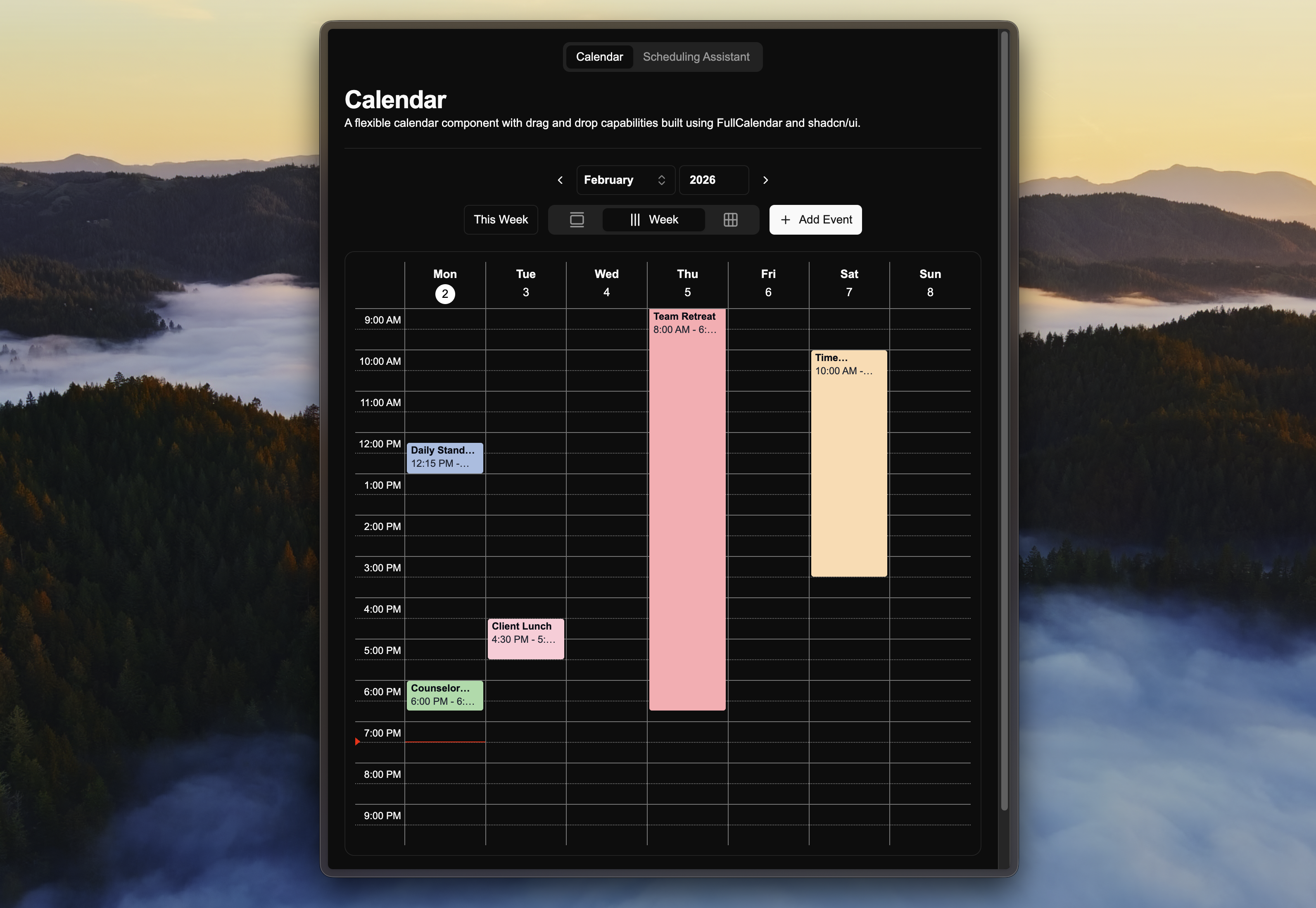
Calendar Page
This page shows all of the user’s past and upcoming events with options between a day view, 7-day week view, as well as a month view.
Events can be edited by clicking them, dragging and dropping them onto different time slots, or resizing them.
Add Event Modal
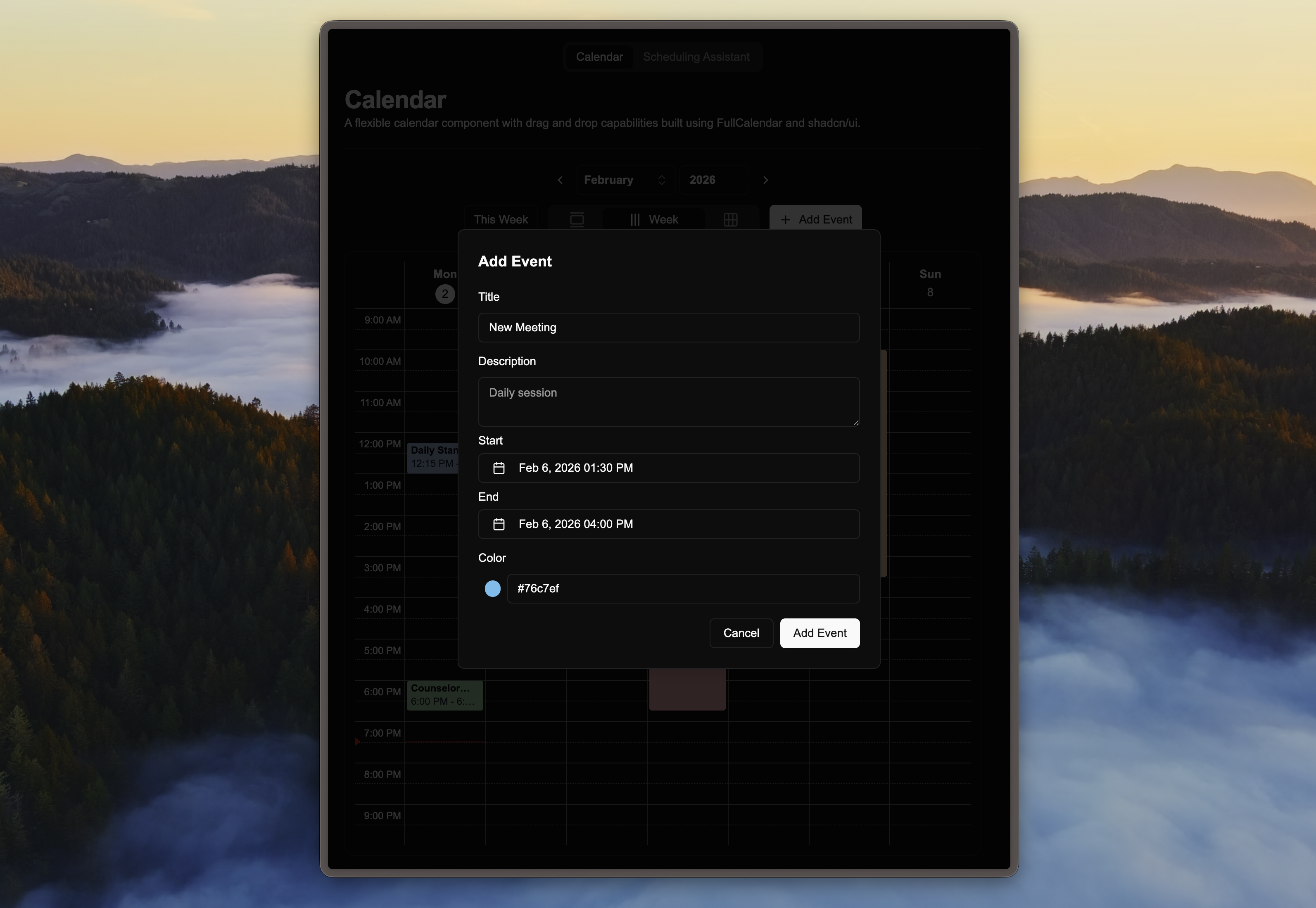
This modal shows up when the user presses ‘Add Event’. If you select a range on the calendar prior to pressing ‘Add Event’, the time period will be automatically set to that range.
You can additionally set event titles, descriptions, and hex colors.
Scheduling Assistant Page
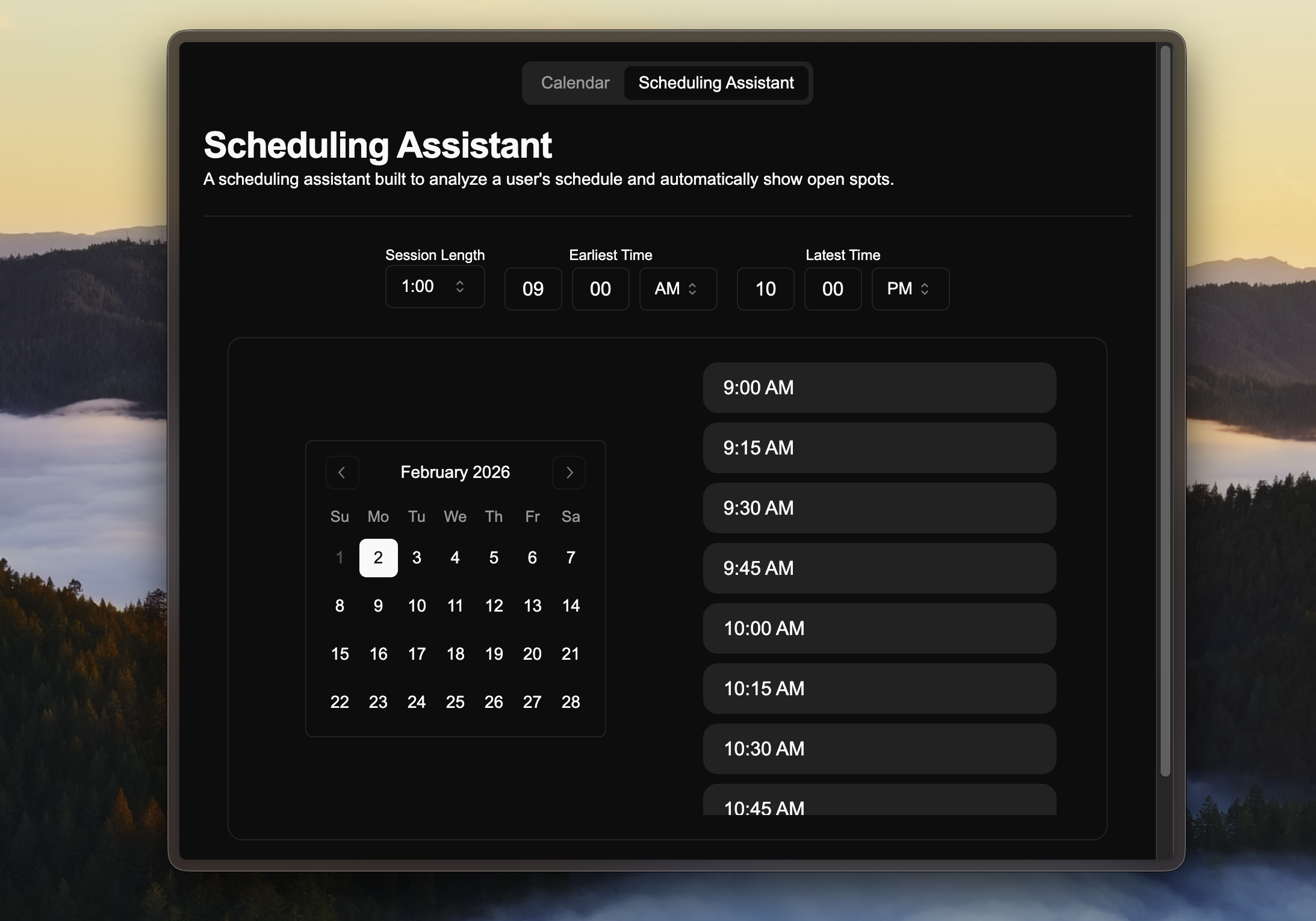
This page acts as a simple scheduling tool based on a user’s schedule, which could be used in conjunction with the calendar view for a full meeting scheduling app.
Preferences can be set such as session length, earliest available time, and latest time meetings could end at.